Privacy-first AI · your machine, your rules
FreeWorker is an AI coworker that runs on your own hardware — your files, documents and prompts stay on your Mac, not in someone else's cloud. The phone app reaches your Mac end-to-end encrypted, so no one in between — not even us — can read it. No ads, no data mining, ever.
Your data stays on your devices · no ads · no data mining · no training on your data.
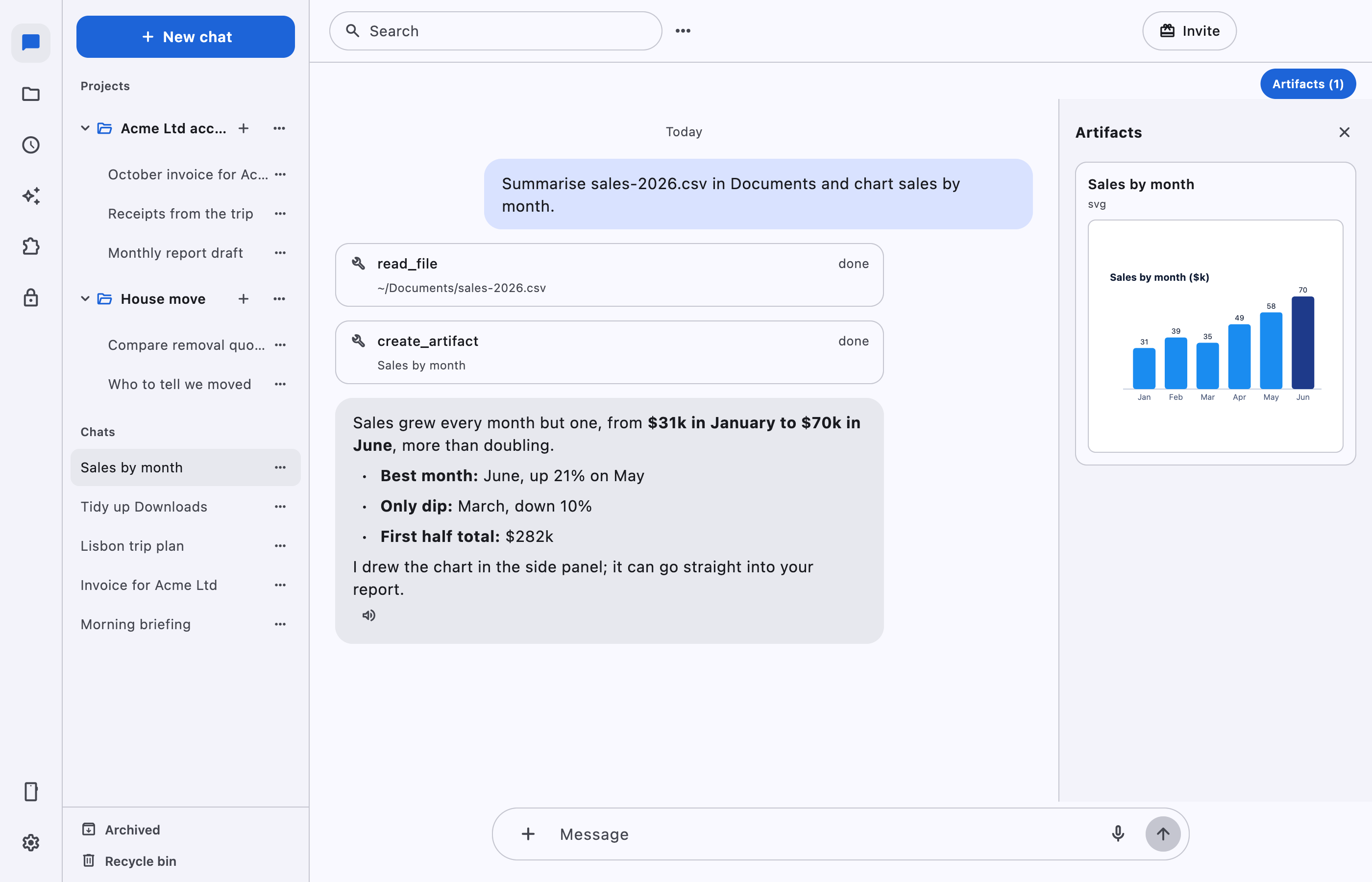
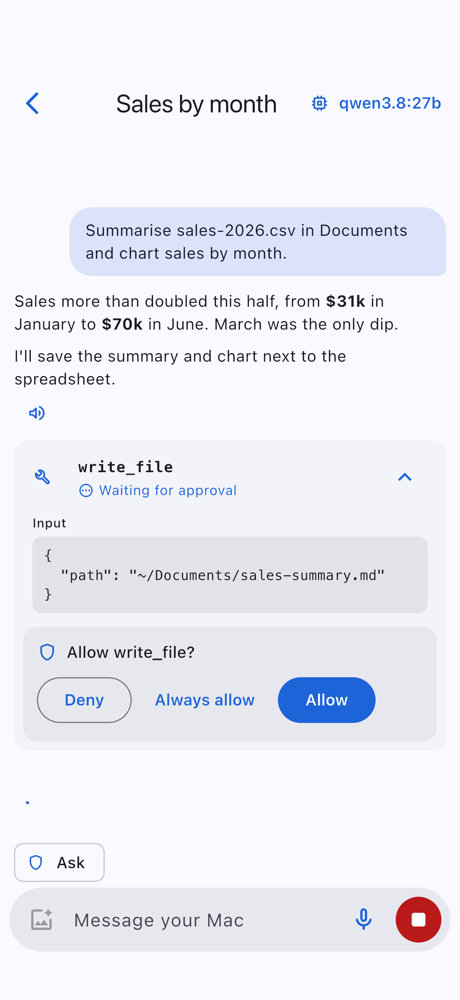
The model runs on your computer. Everything else is built around keeping your work yours.
Run a model that fits your hardware through Ollama, or point at LM Studio, llama.cpp, or a hosted key when you want one.
A companion app pairs with a QR code and talks to your computer through the FreeWorker Relay — from any network.
Your phone and computer share a key only they hold. Over the relay, it forwards ciphertext it can't read. Rotate the key whenever you like.
Schedule recurring work — a morning briefing, a weekly report, a nightly tidy-up — and it runs on its own, right on schedule.
Group chats into projects with their own folder and instructions, teach reusable skills, and plug in connectors for more tools.
Every command, file edit and tool call asks first. Big jobs show a live to-do list, so nothing happens behind your back.
About ten minutes on a Mac, plus the one-time model download.
One script on macOS sets up the app, the fw command, Ollama and a model. On Windows and Linux, build from source.
FreeWorker reads your hardware and recommends the strongest local model that fits, then downloads it. Switch any time.
Turn on remote access, scan a QR code, and chat with your computer's agent from anywhere — encrypted end to end.
Because the model runs on your hardware, your machine is the only requirement. FreeWorker reads your chip, memory and disk on first launch and picks the strongest model that fits — you don't have to work any of this out yourself.
Picks a ~4B model (Qwen 3.5 4B, 3.7 GB)
Picks a ~9B model (Qwen 3.5 9B, 7 GB) — good tool use
Picks the ~27B all-rounder (Qwen 3.8 27B, 18 GB)
No dedicated GPU? It still works — FreeWorker runs the model on your CPU and picks one that fits in memory. Slower, but fully private.
Apple Silicon is the easy path. The chip shares memory with the GPU, so a 16 GB Mac comfortably runs the 9B agent.
Tight on space? Each model needs its download size plus about 5 GB headroom. An SSD makes everything feel quicker.
Want more power without the hardware? Point FreeWorker at a hosted API key instead — then any machine will do.
No token metering, no per-seat surprises, no usage casino. Your hardware does the work — you just pay for the app.
or $150 a year — two months free · $259 for 2 years · $349 for 3 years.
Start your free trialA card is needed for the trial; nothing is charged for 7 days. Cancel anytime before then and you pay nothing.
Rolling out to a team? See the plans →
Most AI tools ship your work to a server you don't control — and mine it to train their models. FreeWorker is the opposite: the model runs on your own machine, so your files, documents and prompts stay with you. They only ever leave if you choose to connect a hosted API or link a git account yourself.
Between your Mac and your phone, everything is end-to-end encrypted with a key only your two devices hold — even the relay that forwards it sees nothing but ciphertext. We can't read your data, and we never will.
No ads. No trackers. No data mining. Your work is never used to train anyone's model.
Most cloud AI assistants run on their own servers — so your files and prompts are theirs to store, mine and train on. FreeWorker runs on your machine. There's nothing to mine.
| FreeWorker | Typical cloud AI assistant | |
|---|---|---|
| Where the model runs | ✓Your own machine | Their servers |
| Your files & prompts | ✓Stay on your device | ✕Sent to their cloud |
| Used to train their models | ✓Never | ✕Often, by default |
| Advertising & trackers | ✓None | ✕Common |
| Data mining & profiling | ✓None | ✕Common |
| Phone ↔ computer link | ✓End-to-end encrypted | Routed through their cloud |
| Works offline | ✓Yes | ✕No |
| Who holds the keys | ✓Only you | They do |
“Typical cloud AI assistant” = the common pattern for server-side assistants. Practices vary by vendor — check any tool's own privacy policy.
Install FreeWorker and run your own agent in about ten minutes.
 FreeWorker